
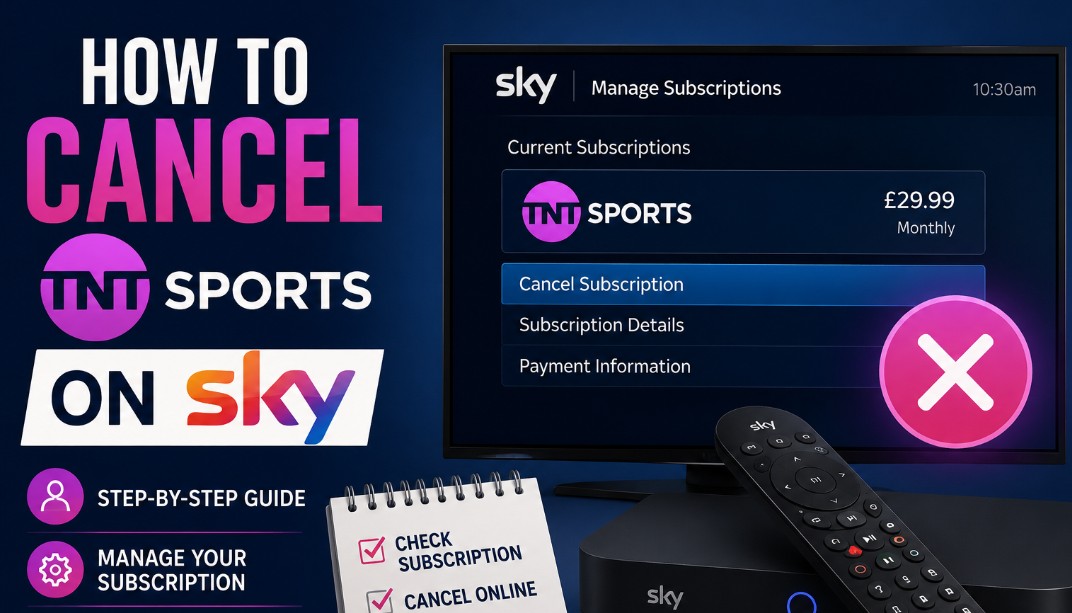
To cancel TNT Sports on Sky, you must provide 31 days’ notice by contacting Sky support directly through their messaging service or via telephone.
You cannot typically cancel this specific add-on through the standard account management portal, as it requires a formal modification of your active TV subscription agreement.
How to cancel TNT Sports on Sky?
You can cancel TNT Sports on Sky effectively by providing a mandatory 31-day notice period through Sky’s official support channels.
Because it is handled as a premium add-on rather than a base pack, a customer service agent must manually process the removal via the My Sky app live chat or over the phone.
About Subscription Management
Most Sky subscribers erroneously believe that a cancel button exists within the My Sky app interface for all premium channels.
In practice, Sky often restricts the ability to modify high-value add-ons like TNT Sports via self-service portals to verify that the subscriber understands the implications regarding contract terms, potential early termination charges, or changes to bundled discounts.
The Notice Period
When you initiate a cancellation for TNT Sports, the service does not terminate immediately. Your subscription remains active for exactly 31 days from the date of the request.
You will continue to have access to the channels during this time. Additionally, your final bill will reflect the pro-rated charge for this mandatory notice period.

Step-by-Step Process for Cancellation
To complete your cancellation, log in to the My Sky app, head to Help, launch the Sky Messaging Service, type Cancel TNT Sports to reach a live representative, and request your unique cancellation reference number to lock in your 31-day notice timeline.
Follow these steps to ensure your request is processed correctly without unnecessary service interruptions:
- Log in to the My Sky app using your verified account credentials.
- Navigate to the Help or Support section to locate the Sky Messaging Service.
- Select the Chat with us option to initiate a secure session with a virtual assistant.
- Type Cancel TNT Sports to be transferred to a live customer service representative.
- Confirm your account identity when prompted by the representative.
- State clearly that you wish to remove the TNT Sports add-on from your package.
- Request a written confirmation or a unique reference number for your records.
- Verify the effective date of the cancellation provided by the agent.
How to cancel TNT Sports on Sky without calling?
You can cancel TNT Sports on Sky without calling by utilising the text-based Sky Messaging Service inside the My Sky app.
This authenticated live chat functions as the primary digital alternative to phone queues and provides a verifiable text trail of your request.
Why You Should Never Cancel Your Direct Debit?
You should never cancel your Direct Debit because it does not cancel your TNT Sports subscription. Instead, it triggers an immediate failed payment process, resulting in late fees, immediate service restriction across your entire Sky package, and potential damage to your UK credit file.
| Cancellation Method | Efficiency | Effort Level | Primary Advantage |
| Sky Messaging | High | Low | Creates a written record |
| Telephone Call | Medium | High | Immediate confirmation |
| Direct Debit Stop | Dangerous | None | Leads to debt recovery |

How to remove a package from my Sky account?
To remove any package or add-on from your Sky account, you must contact support to adjust your account-level billing profile. The structural process remains identical whether you use Sky Q satellite hardware or cloud-based platforms like Sky Glass and Sky Stream.m.
Methods of Service Modification
- Sky Q users: Focus on the My Products section to identify the specific sports package linked to your satellite box.
- Sky Glass and Stream users: These services operate on a cloud-based infrastructure, often requiring specific confirmation that you are removing the subscription from the account level.
- Rolling contracts: If you are on a 31-day rolling contract, cancellation simply requires the standard notice period, ensuring you are not locked into future term renewals.
When Is It Necessary to Cancel TNT Sports?
It is usually necessary or highly beneficial to cancel TNT Sports during the summer off-season lull (June–August) to save up to £80, during a mid-contract price increase window to exit without penalty, or when migrating providers to avoid double billing.
Subscribers usually find it necessary to cancel their TNT Sports add-on under a few distinct circumstances:
- The Off-Season Lull: If you primarily watch TNT Sports for the Premier League or UEFA Champions League, there is a massive content gap between June and August. According to standard Sky subscription rates, cancelling during the summer months can save you around £60–£80 in unnecessary bills. Many households use this off-season gap to audit their entire streaming budget; if you are looking to trim costs further across other platforms, you can also learn how to cancel Disney Plus subscription packages quickly through our dedicated guide.
- Mid-Contract Price Increases: Sky occasionally adjusts its package pricing. When an in-contract price rise is announced, you are legally granted a 30-day window to cancel affected add-ons or packages entirely without penalty. Understanding these legal frameworks is essential for managing your home entertainment outgoings; for instance, if you are cutting down on traditional broadcasts altogether, make sure you also review the legal steps on how to cancel a TV Licence UK to ensure full regulatory compliance.
- Provider Migration: If you are moving your broadband and TV setup to another network (like BT/EE or Virgin Media), you must cancel the Sky-billed version of TNT Sports to prevent being billed twice when you activate it with your new provider.
What About Cancellation Fees and Refunds?
Cancellation fees do not apply to rolling 31-day add-ons, but fixed 18 or 24-month terms will trigger Early Termination Charges (ETCs). Any overpayments caused by forward billing are returned as a pro-rated credit or a bank refund within 45 days.
Because Sky handles TNT Sports differently depending on how you signed up, financial implications vary:
- Rolling 31-Day Contracts: If you added TNT Sports as a flexible, rolling contract, there are zero cancellation fees. You simply pay for the final 31-day notice period, and no further charges will apply.
- Fixed 18 or 24-Month Contracts: If you bundled TNT Sports into a long-term minimum term package to get a lower monthly rate, cancelling early will trigger Early Termination Charges (ETCs). Sky calculates this fee based on the number of months left on your agreement, minus a small discount.
- Refunds and Advance Billing: Sky bills one month in advance. If your official deactivation date falls in the middle of a billing cycle you’ve already paid for, as outlined in Sky’s billing terms, they will apply a pro-rated credit to your next bill or refund the overpayment back to your bank account within 45 days.
Common Challenges in Cancellation
The primary challenges when cancelling include navigating aggressive customer retention offers, experiencing a 24-hour system delay before the app updates your status, and accidental bundled discount collapses that alter the pricing of remaining packs like Sky Sports.
- The Retention Pushback: When using the Sky Messaging Service or calling, agents are trained to save your custom. You will likely be offered multiple discounted rates or alternative bundles before they process the cancellation. You must stay firm and repeatedly state, No, thank you, please proceed with the cancellation.
- System Delays: It can take up to 24 hours for a cancellation order to register on your automated account timeline. Do not log back in and re-request the cancellation if you don’t see it immediately; instead, rely on the unique reference number provided by your agent.
- Bundled Discount Collapses: If your TNT Sports subscription was part of a Complete Sports promotional offer, removing it might accidentally void your discounts on other premium packs (like Sky Sports). Always explicitly ask the agent: Will removing TNT Sports change the price of my remaining packages?
How Does the Cancellation Affect Other Viewing Preferences?
Cancelling TNT Sports leaves your core Sky TV and Sky Sports channels completely untouched. However, you will immediately lose access to the Discovery+ Premium tier stream, and previously recorded TNT content on Sky Q will become locked.
Removing TNT Sports modifies specific access layers across your home setup, but leaves your core subscription untouched:
| Service / App | Post-Cancellation Status |
| Sky Sports & Core TV | Completely unaffected. Your main Sky channels, Sky Cinema, and standard packages remain active. |
| Discovery+ App Access | You will lose access to the Premium Tier of the Discovery+ app (which hosts the live TNT Sports streams). However, your basic Discovery+ access may remain active if it is bundled free with your base Sky TV package. |
| Recorded Content | If you are on Sky Q, any previous matches or shows you recorded from TNT Sports channels will become locked and unwatchable once the 31-day notice period ends. |
| Multiroom & Pucks | The channels will disappear simultaneously across your main box, Sky Q Mini boxes, and Sky Stream pucks. |

Final Summary
To successfully remove the service, initiate your request via the Sky Messaging Service within the My Sky app. Always document your reference number and verify the 31-day notice date.
Do not attempt to cancel via your bank, as this creates unnecessary financial complications. Review your account one final time after the notice period concludes to ensure the add-on has been successfully removed from your billing cycle.
FAQ about How to cancel TNT Sports on Sky?
Can I cancel TNT Sports on Sky online?
While you can manage many account features online, you generally cannot click a single cancel button for TNT Sports. You must use the Sky Messaging Service or call support to trigger the formal 31-day notice period.
Is there a specific Sky contact number to cancel?
Yes, you can reach the Sky cancellation team by calling 0333 7591 018. However, ensure you have your account number and security information ready to bypass the initial automated diagnostics.
What happens if my TNT Sports is not working on Sky?
If the channel is inactive despite paying, this is a technical issue rather than a cancellation request. Perform a power cycle of your Sky box or use the ‘Refresh’ function in the My Sky app.
Can I cancel my Sky Sports package without calling?
Yes, using the Sky Messaging Service via the My Sky app is the standard digital route to cancel sports packages without needing to speak to an agent over the telephone.
Why won’t Sky let me cancel my contract?
You may be within a fixed-term contract. While you can cancel the add-on, you may still be liable for the base subscription cost until the end of your agreed term to avoid early termination charges.
How do I cancel my TNT Sports subscription on Prime?
If you pay for TNT Sports through Amazon Prime Video, you must manage the cancellation directly through the ‘Your Memberships and Subscriptions’ section of your Amazon account, not through Sky.
How do I remove a subscription from Sky?
Contact Sky support through their official messaging portal. The agent will process the removal, confirm the 31-day notice timeline, and send a confirmation email detailing your updated monthly bill.
